

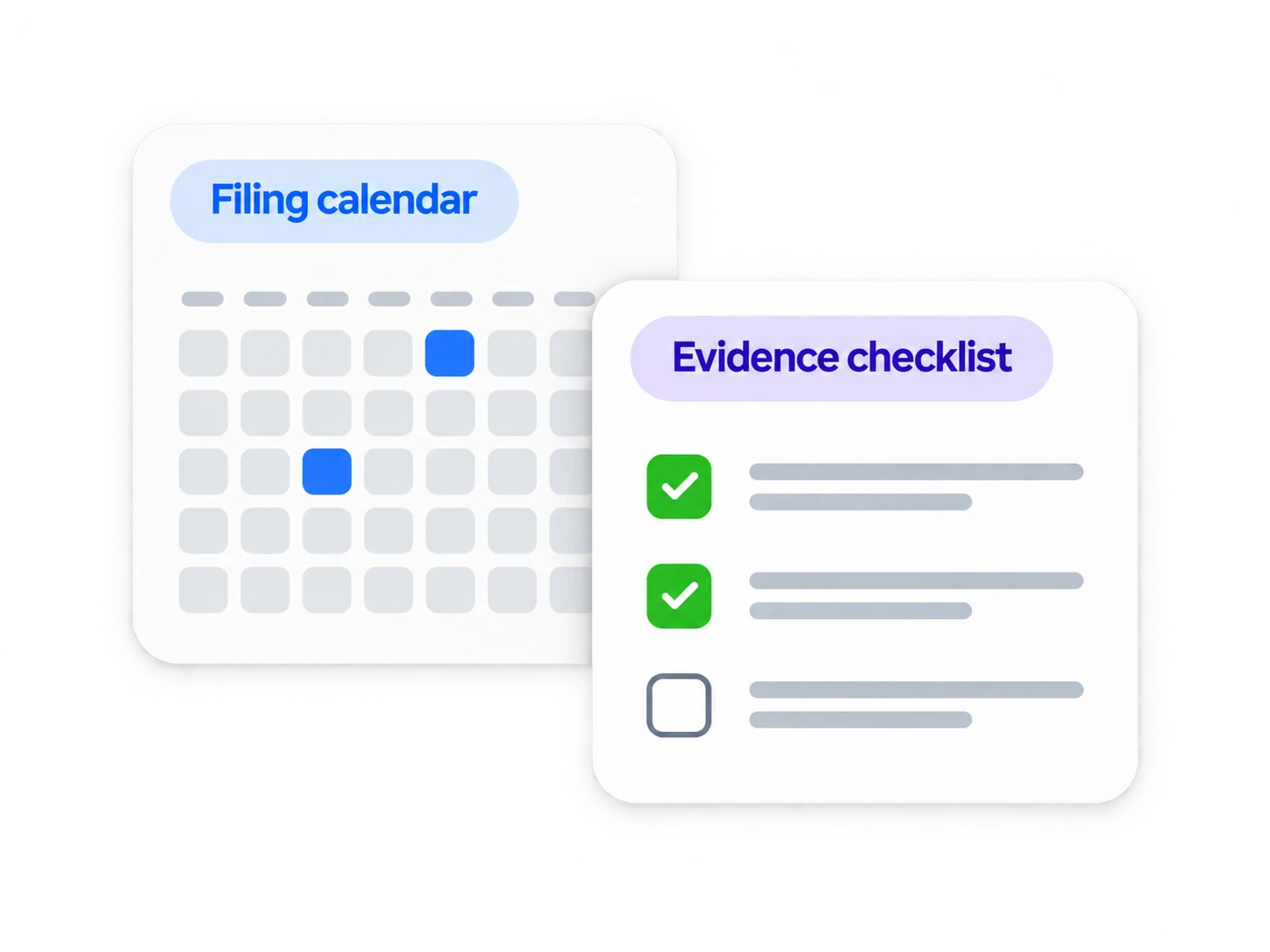
Changing requirements need a clear workflow
A change in requirements can affect documents, payroll inputs or review steps. Give your team a consistent place to record the change, assign the next action and track the work through review.
No matching section. Try a different word.
Statutory Compliance
Track statutory deadlines, organize records, and keep evidence ready for audits.

Compliance work depends on information that moves between HR, payroll, finance and vendor teams. Separate spreadsheets, email threads and document folders make it harder to see the latest record, the next deadline and the person responsible.
Datacore Statutory Compliance brings calendars, documents and review activities into a shared product workflow. Organise records by establishment and reporting period, assign responsibilities and keep follow-up connected to the work it belongs to.
Start with your entities, business locations and workforce needs. Explore the modules, records and reporting views that fit the way your team manages compliance.
A change in requirements can affect documents, payroll inputs or review steps. Give your team a consistent place to record the change, assign the next action and track the work through review.
Each establishment needs a clear view of its activities and supporting documents. A location-based structure helps teams organise what belongs where and identify records that need attention.
A document on its own rarely explains the full compliance activity. Bring the relevant payroll inputs, contractor records and review notes together so your team can investigate differences.
Use the product discussion to map these four building blocks to your selected modules, users and operating locations.
Organise the activities, owners and review dates relevant to your business.
Keep supporting records connected to the establishment and reporting period.
Define preparation, review and approval responsibilities within your workflow.
Review pending activities, missing information and actions awaiting attention.

Confirm the modules, configuration and supported outputs during your product walkthrough.
Explore the product around the work your team needs to manage. Build your setup from relevant calendars, payroll records, establishment documents and review workflows, with the selected modules confirmed in your proposal.

Give each activity a place in a structured register. Organise obligations by establishment, assign responsibility and keep due dates alongside the records needed for review.

Organise the payroll information behind statutory compliance. Review the PF, ESI, professional tax, LWF and salary TDS workflows relevant to your setup, including the supported reports and output formats.

Keep establishment records organised as locations and workforce arrangements change. Bring registrations, renewal documents and employment-related records into a structure your team can review.

Organise contractor documentation alongside the review actions it requires. Track available records, identify missing evidence and give vendor managers a clear view of items that need follow-up.

Make compliance reviews easier to prepare for with records that can be located and explained. Keep document references, issues and follow-up actions connected to the relevant review period.

Shape the workspace around the people who prepare, review and manage compliance activities. Discuss the relevant access roles, reporting views and workflow configuration during your product walkthrough.
Document collection and review remain distinct steps. Your team determines whether the evidence satisfies the applicable requirement.
Confirm the supported outputs and integration requirements before implementation. Government portal submission and statutory payments remain with the designated authorised people.
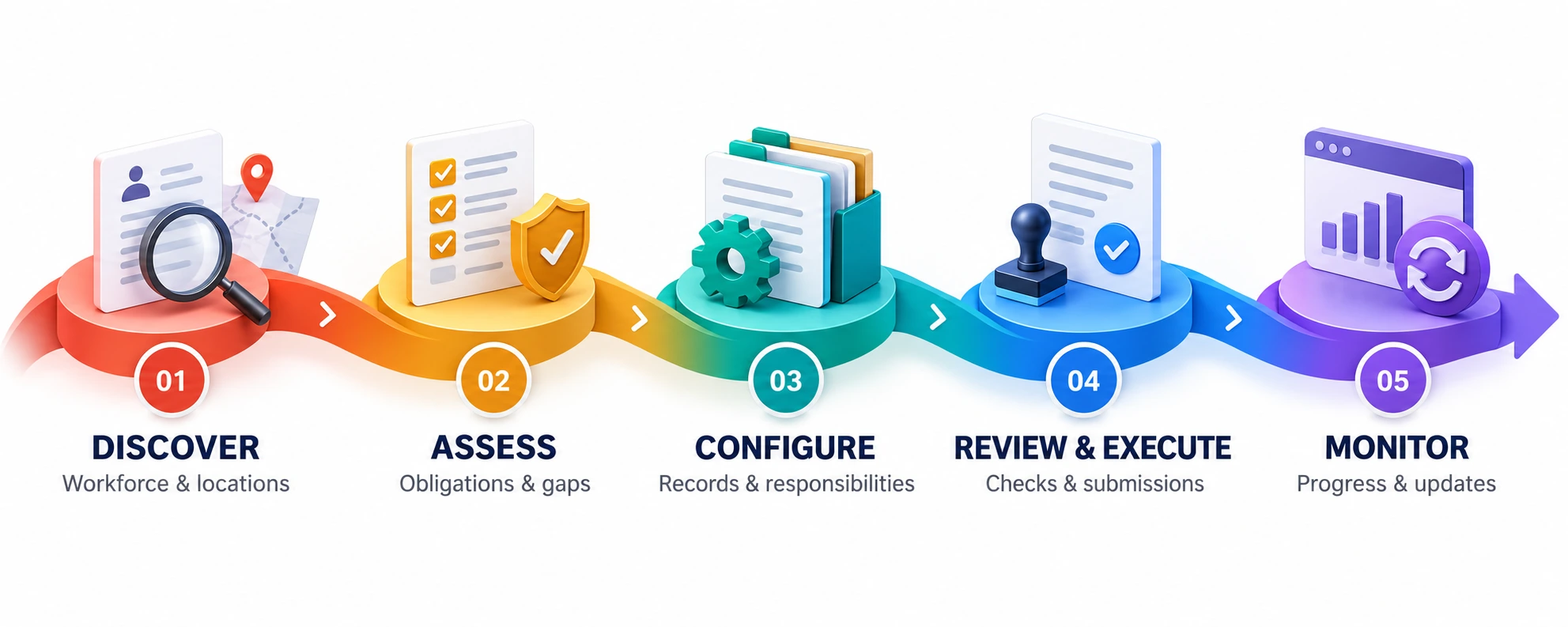
Select a stage to explore the process
Map your entities, locations, workforce arrangements and current tools. Identify the compliance activities and records you want the product to help your team organise.
Walk through the relevant modules and supported outputs. Agree the records, reporting needs and integration requirements before finalising your setup.
Set up the selected calendars, document structures, access roles and review responsibilities. Plan how your existing records and payroll inputs will be prepared for the workspace.
Check the configured workflows with your team, review the available outputs and resolve setup questions. Prepare users for the activities and approvals they will manage.
Use the reporting views to review open activities, records and follow-up actions. Revisit your configuration as locations, workforce needs or internal processes change.
Use your product walkthrough to review how the available reporting views can surface the information your team needs:
A shared calendar gives teams a practical view of upcoming activities, helping them plan data collection, reviews and approvals.
An organised document structure helps reviewers find the relevant record and identify what is still missing.
Keep activities and supporting evidence connected so your team can explain the work behind a completed item.
Location-based records and assigned responsibilities help teams see where information, review or action is needed.
Track findings and assigned actions together so vendor managers can follow up on the items that remain open.
A clear division between product workflows and authorised decisions helps your team plan its implementation.
| Activity | Product workspace | Your team |
|---|---|---|
| Plan | Organise activities, calendars and responsibilities. | Confirm applicable obligations and due dates. |
| Review | Keep records, findings and follow-up together. | Check source information and approve the required action. |
| Complete | Organise outputs and supporting evidence. | Authorise and complete submissions and payments. |
| Monitor | Provide views of pending work and review status. | Assess changes and decide what needs updating. |
The product helps organise compliance work. It does not replace applicability checks, authorised approvals or specialist advice where required.
 01
Consider statutory compliance alongside the employee and payroll records it depends on. Discuss the Datacore modules and data connections relevant to your selected product setup.
 02
Work through calendars, records, access and review responsibilities before rollout. Agree configuration and implementation support as part of your product proposal.
 03
Where contractor documentation is part of your requirement, explore the relevant vendor audit and compliance capabilities alongside your workforce records.
 04
Organise preparation and review around the people responsible. Discuss available role-based access and activity histories for the modules in your setup.
 05
Begin with the establishments and workforce arrangements you manage. Confirm supported jurisdictions, outputs and integration needs before choosing your product configuration.
Organise each stage in a connected workflow, with authorised people responsible for decisions, submissions and payments.
Use your industry context to explore the records and review workflows your team needs. Product fit depends on your establishments, workforce and selected modules.
Coordinate office establishment records, employee changes and payroll compliance across distributed teams.
Align India workforce records and local compliance activities with internal approvals and group reporting requirements.
Review shift, attendance and wage records alongside applicable employment conditions and payroll deductions.
Map obligations by depot or warehouse and organise contractor workforce evidence for periodic review.
Bring establishment documentation, workforce records and contractor reviews into a consistent review schedule.
Track outlet-level registrations, staff movement and state-specific payroll obligations as locations change.
Organise employment, shift and outsourced workforce records alongside the applicable workplace requirements.
Coordinate workforce compliance records across offices, laboratories and production sites with different operating arrangements.
Review employee and contractor documentation across project offices, research facilities and technical locations.
Map workforce record requirements across engineering offices and production facilities, including relevant contractor arrangements.
Coordinate employment and contractor documentation by yard, project and applicable workplace jurisdiction.
Review workforce categories, shift records and establishment requirements as production and supplier operations develop.
Organise compliance activities across design centres and manufacturing sites with distinct workforce arrangements.
Track payroll and contractor evidence across plants, engineering functions and other covered locations.
Assess workforce documentation and contractor responsibilities for the relevant office, operational or project setting.
Review employment and vendor records across development offices, installation projects and operating sites.
Identify the workforce requirements relevant to technology offices, research locations and field activities.
Establish clear payroll records and review applicable obligations as headcount, locations and working arrangements change.
Show your team how activities and records can be organised by establishment and reporting period. Discuss each operating location and confirm the relevant modules, jurisdiction coverage and supported outputs during the product walkthrough.
It is a compliance management product for organising statutory activities, payroll-related records, establishment documents and review workflows. Explore the modules relevant to your business during a product walkthrough.
The product is intended for HR, finance, payroll and compliance teams that need a more structured way to manage records, responsibilities and follow-up across their operations.
Discuss PF, ESI, professional tax, LWF, salary TDS, establishment records and contractor documentation. The proposal should confirm the modules, jurisdictions and output formats available for your requirement.
Discuss how your entities and establishments can be represented in the workspace. Confirm the relevant state requirements, location-level records and available reporting views before implementation.
Compliance workflows depend on accurate employee and payroll information. Discuss your current systems, required data flow and the available Datacore modules to agree the integration or data preparation approach.
Do not assume that creating an output completes a government submission or payment. Confirm the supported workflow during your demo and identify the authorised people responsible for completing each step.
Explore document records, expiry tracking, review findings and follow-up actions for the relevant modules. Your team remains responsible for assessing whether the underlying evidence meets the applicable requirement.
Discuss upcoming activities, pending records, document expiry, open findings and review status. The available views and outputs should be confirmed against your selected product configuration.
Discuss the role-based access and review responsibilities needed for your workflow. Confirm the available permissions and activity history for the modules included in your setup.
No. A product can help organise activities and evidence, but accurate information, applicability checks, authorised reviews and timely action remain essential. Specialist advice may be needed for a particular requirement.
Share your business locations, approximate workforce size, current systems and the main records or workflows you want to improve. Employee identity numbers, payslips and personal employee records are not needed for an initial enquiry.
Request a product demo using the form below. Discuss your requirements, review the relevant modules and agree configuration, implementation support and responsibilities before rollout.
Tell us about your locations, current systems and the compliance work your team manages. Request a focused product walkthrough to explore the relevant modules, reporting views and setup requirements.
contact@dcoretech.inShare a few business details so the product team can understand what you would like to explore.


